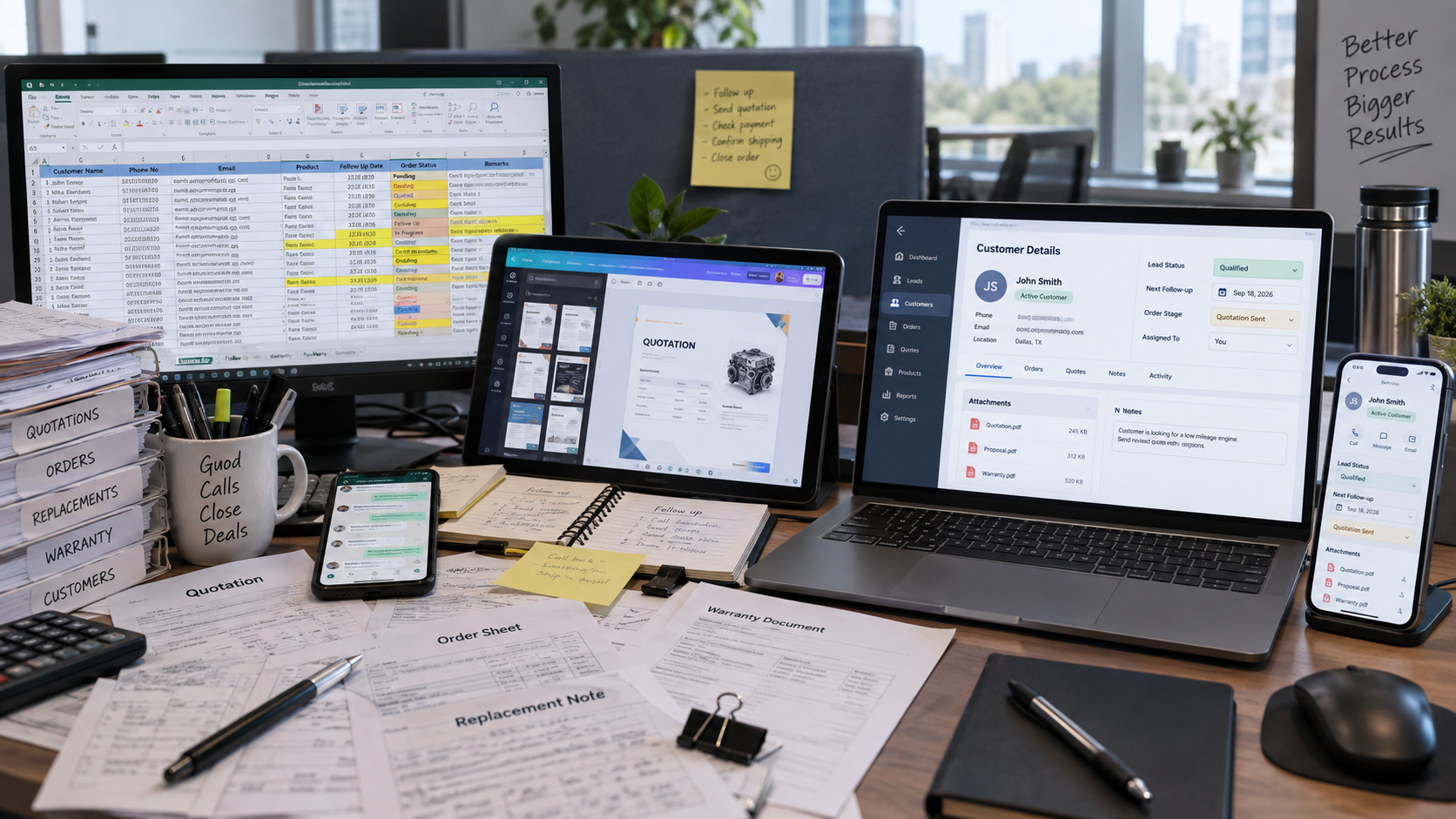
You are not searching for another dashboard. You are searching because the week is already full, the business is ready to grow, and the customer record still lives in too many places.
Follow-ups sit in a chat thread. The order sits in a sheet. The quotation lives in a file someone renamed twice. The warranty letter is a Canva template sent from a personal email. A replacement request arrives, and nobody is sure which version of the document is current. Manual entries keep the operation moving until one missed cell, one unshared folder, or one person on leave makes the next step disappear.
That is the job open source CRM software is supposed to take. The useful question is not which logo appears on a comparison table. The useful question is whether the system can hold leads, the order path, document templates, replacements, and warranty files in one place - and whether the same record is usable on a phone when the team is not at a desk.
What is actually stuck this week
For a small or mid-size team, the bottleneck is rarely that the business has no software. It is that every stage of the customer still requires a hand copy.
A new enquiry arrives from the website, WhatsApp, or a call. Someone types it into a sheet so it is not lost. A follow-up is promised, then remembered only if the same person opens that sheet again. When the conversation turns into an order, a second file appears. When the client asks for a letter, invoice layout, replacement note, or warranty document, the work moves to Canva or a shared drive. Each hop is a chance to enter the name wrong, attach the old template, or leave the next owner uninformed.
The mess is not dramatic. It is repetitive. Growth makes it worse, because more orders mean more documents, more follow-ups, and more people touching the same record. Spreadsheets do not assign ownership. A design file does not remind anyone to call. A folder does not show what is waiting, what is late, and what has already been sent.
If that is the week you are in, you do not need a heavier reporting suite. You need one record that follows the customer from first contact through the documents your operation already produces.
What all in one place has to cover
A CRM that only stores names and a pipeline stage will not remove the work you are doing by hand. For the businesses this article is written for, the system has to cover the jobs that currently live outside the sheet.
- Leads and follow-ups: who owns the enquiry, what was last said, and what happens next without relying on memory or a personal chat list.
- The order path you already run: confirmation, documents, delivery or fulfilment notes, and a status the floor or office can see without asking.
- Templates the client requires: quotations, letters, order papers, replacement notes, and warranty documents generated from the same record.
- Document management: one place to find what was sent, what was approved, and what must go out when a part is replaced or a warranty is claimed.
- Mobile access: follow-up and status available to the person who can close the loop, even when they are away from a desk.
That list is the test. When someone compares open source CRM software for a small business, they should score the product - or the build - against those jobs, not against a feature matrix written for a different company.
Why this search keeps landing on open source
Teams look at open source CRM software for practical reasons. They do not want a per-user bill that grows whenever a coordinator, salesperson, or warehouse contact needs a login. They want fields and stages that match their order, not a pipeline invented for a SaaS demo. They want to begin with what is breaking this month and add documents, replacements, warranty, and reporting later. They also want the data to remain theirs if the tool or vendor changes.
Those reasons are sound. The failure mode is also familiar. An empty open-source installation still asks someone to design the fields, templates, permissions, and hand-off from the website form. If that work is skipped, the team goes back to the sheet in two weeks and the CRM becomes another login nobody opens.
The decision is not open source versus a paid brand. It is whether you are buying a box of parts or having the operating layer fitted to the way your business already works.
Rock One Solutions is a Bengaluru studio that builds that layer. The work sits under CRM Systems: lead capture, ownership, follow-up, records, and reporting a manager can read without exporting five files. Where the operation is heavier - quoting through fulfilment on a single record - the same idea is visible in the Auto Parts CRM build: one path instead of a stack of disconnected tools.
What changes when the same record is on the phone
Belief usually shifts at the point the team stops asking where a file is.
A follow-up is a task on the record, not a message that vanished in a group chat. An order status is visible to the person who needs it, including on mobile. A warranty or replacement request opens against the original order, so the template is filled from data that already exists. The design-and-attach step becomes a document generated from the CRM, stored against the client, and reusable the next time the same paper is required.
That is the change to expect from a properly scoped build: the work becomes faster because it is no longer re-typed, re-designed, and re-shared. It does not become faster because the software looks busy.
What determines the cost of a CRM build
CRM work is quoted around the process it has to replace. The number changes with pipeline stages, team roles, integrations, document templates, reporting, mobile access, and the amount of historical data that must move into the system. We define those requirements before sending one fixed project price.
The first version should still attack the leak you can name this week: missed follow-ups, order status that exists only in a sheet, or documents that live in Canva and email. Extra modules can wait until that version is in daily use, but the first quote must cover enough of the real workflow to become the team's working system rather than another partial tool.
You are not paying for a catalogue of features you will not open. You are paying to stop manual entry from being the integration layer.
What to send when comparing the sheet with a system
This article is for teams ready to buy the work, not collect another product shortlist. Send a short brief; two paragraphs is enough.
- Where enquiries arrive today: website form, WhatsApp, phone, marketplace, or walk-in.
- What you currently keep in Excel, shared folders, and Canva.
- The documents you must issue: quotation, order, replacement, warranty, or others.
- Who follows up and whether they need the record on a phone.
- What must exist in the first version and what can wait.
We reply with a written scope, milestone plan, and fixed price for that version. Project work is priced against the scope. If you later want more of the order path in the same system, that is a separate, visible addition - not a surprise seat licence.
If the week is still running on sheets and templates, the next step is the brief, not another comparison tab.
Frequently asked questions
Can this replace the Excel files, shared documents, and Canva templates we use every day?
For the jobs those files are doing - follow-ups, order status, client documents, replacement papers, and warranty papers - yes, that is the point of the first version. The CRM should hold the record and produce the template from it. If a file has a purpose the system has not been scoped to cover, it stays outside until you add that piece.
Is there a per-user cost as the team grows?
Our custom CRM build is priced against the agreed scope rather than sold as a public per-user package. Team roles and access requirements are included in the quote. Any third-party software or infrastructure with its own user fees is identified separately before work begins.
Can we start with leads and follow-ups and add orders, replacements, and warranty documents later?
Yes. The first version should match what is breaking now. Later stages attach to the same customer and order record so the team does not have to migrate twice.