01
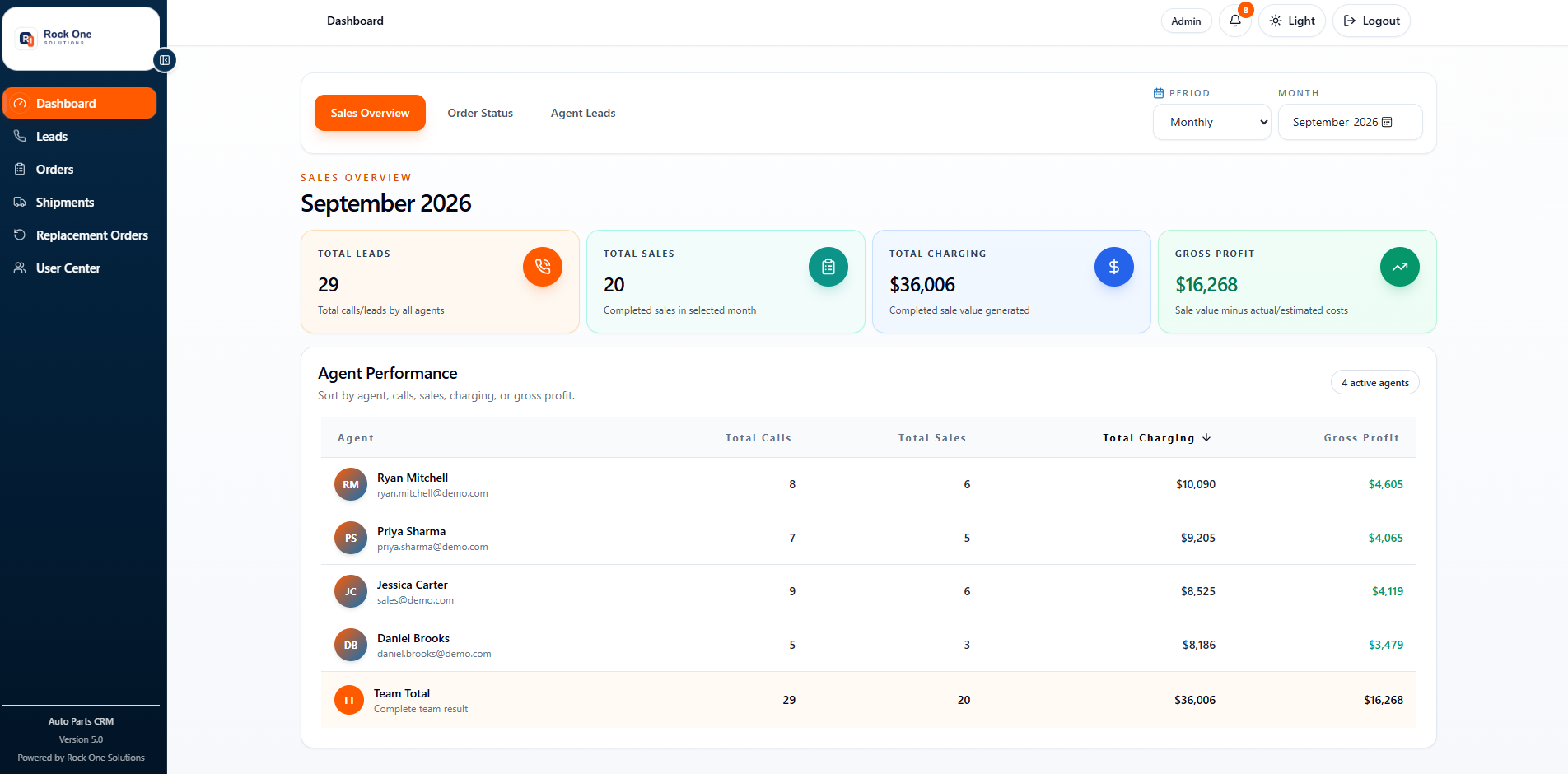
Sales overview
The day starts with a clear operating picture.
Lead volume, completed sales, charging, gross profit, and agent performance are visible in one management view.
Current Version 5.0 interface using representative demo records.
MEE Auto Parts
A role-based CRM connecting lead capture, quoting, orders, signed invoices, shipping, replacements, and team access without losing context between steps.
Product map
Sales, ageing, delivery, and adviser performance
Capture, qualify, quote, assign, and convert
Customer, vehicle, part, price, invoice, and payment
Prepare loads and track BOL, PRO, carrier, and status
Customer reason, yard response, replacement transit
Create, activate, and scope sales or shipping users
Interface tour
Representative demo records are used throughout these screens.
Sales overview
Lead volume, completed sales, charging, gross profit, and agent performance are visible in one management view.
Current Version 5.0 interface using representative demo records.
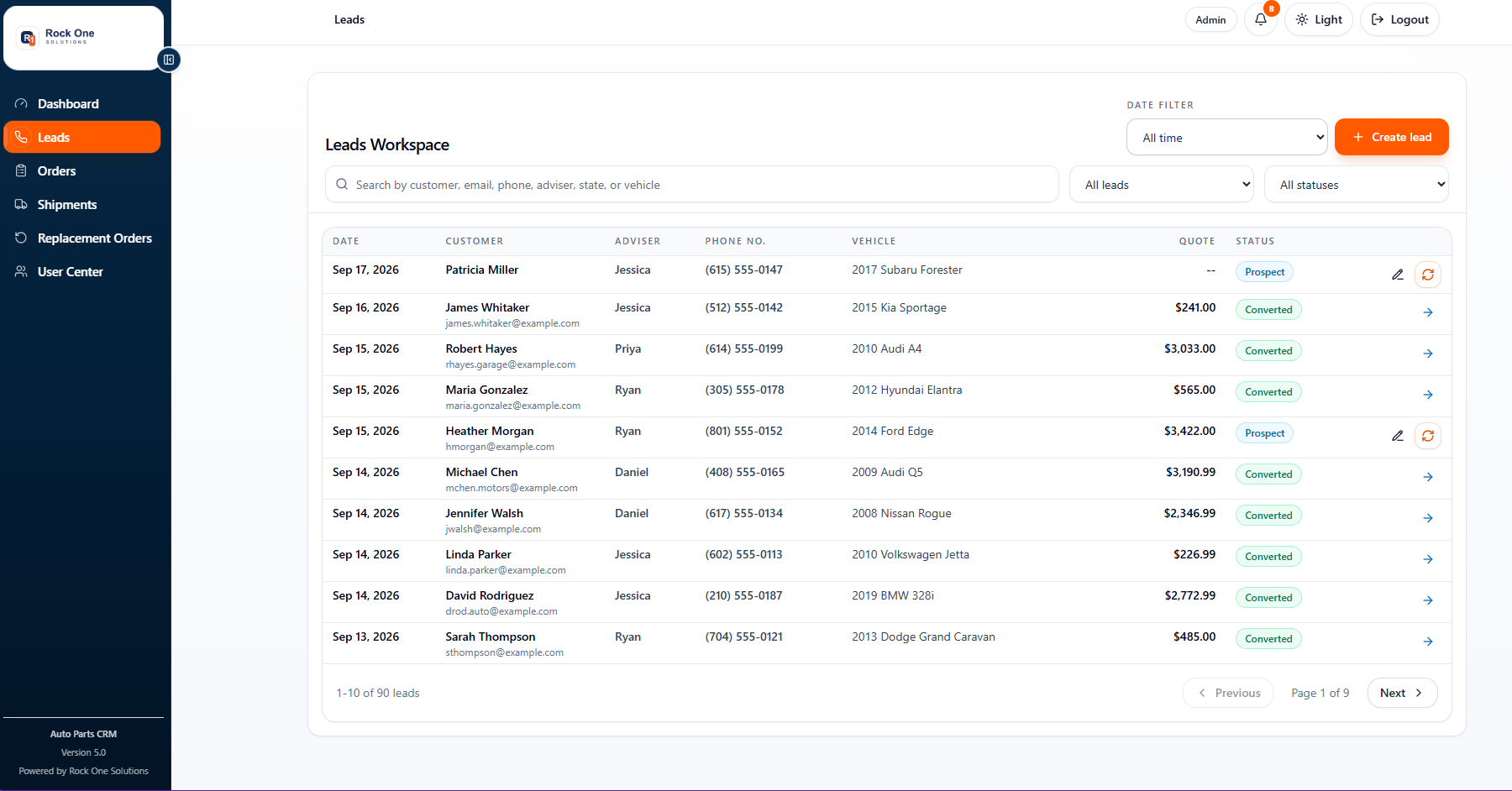
Lead workspace
The team can filter, assign, qualify, and convert leads while keeping customer, vehicle, quote, and status details together.
Current Version 5.0 interface using representative demo records.
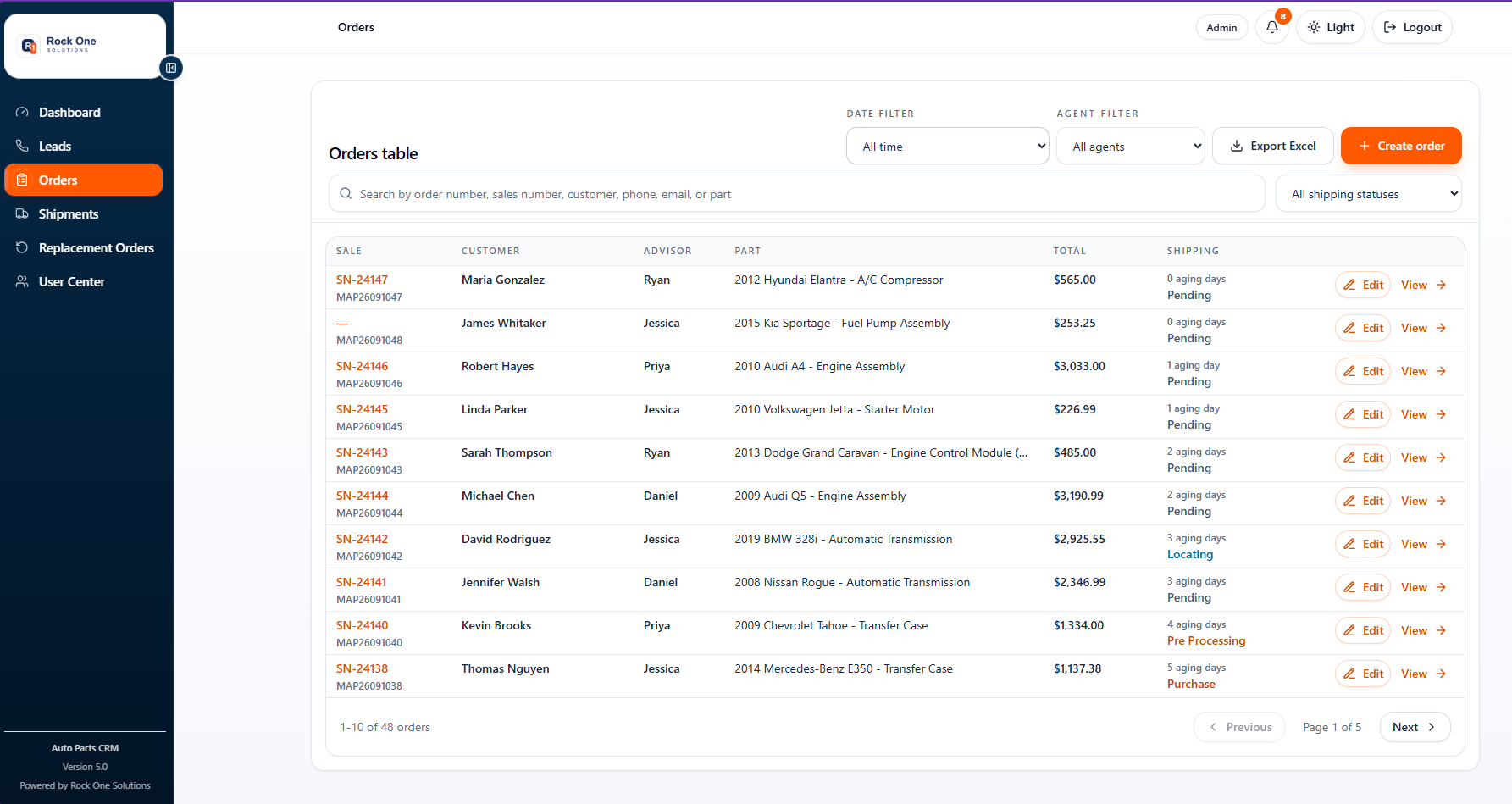
Order operations
Orders carry the customer, adviser, part, value, shipping age, and operational status needed for daily follow-up.
Current Version 5.0 interface using representative demo records.
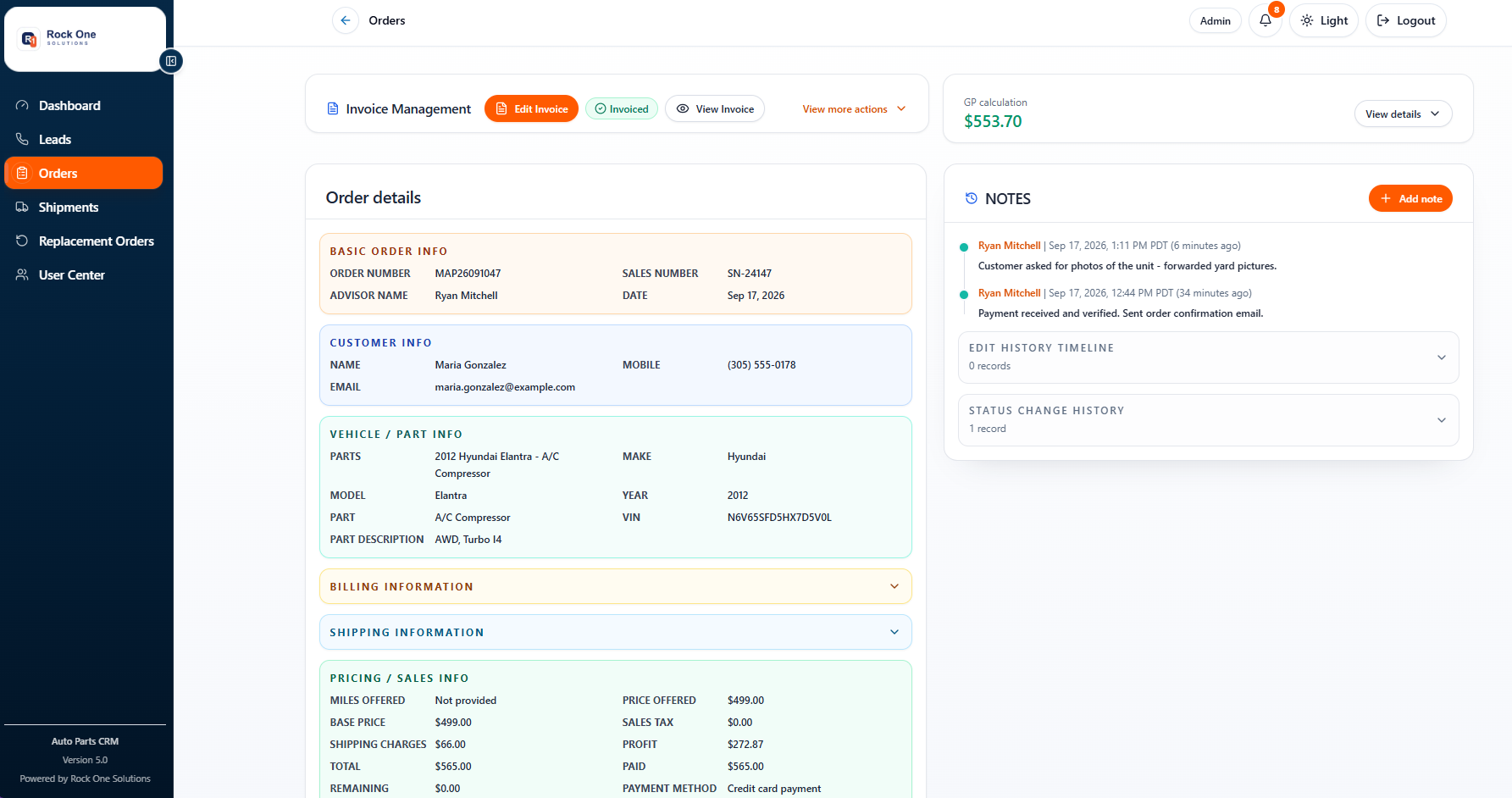
Order record
Customer, vehicle, part, pricing, invoice controls, notes, gross profit, and status history remain attached to the sale.
Current Version 5.0 interface using representative demo records.
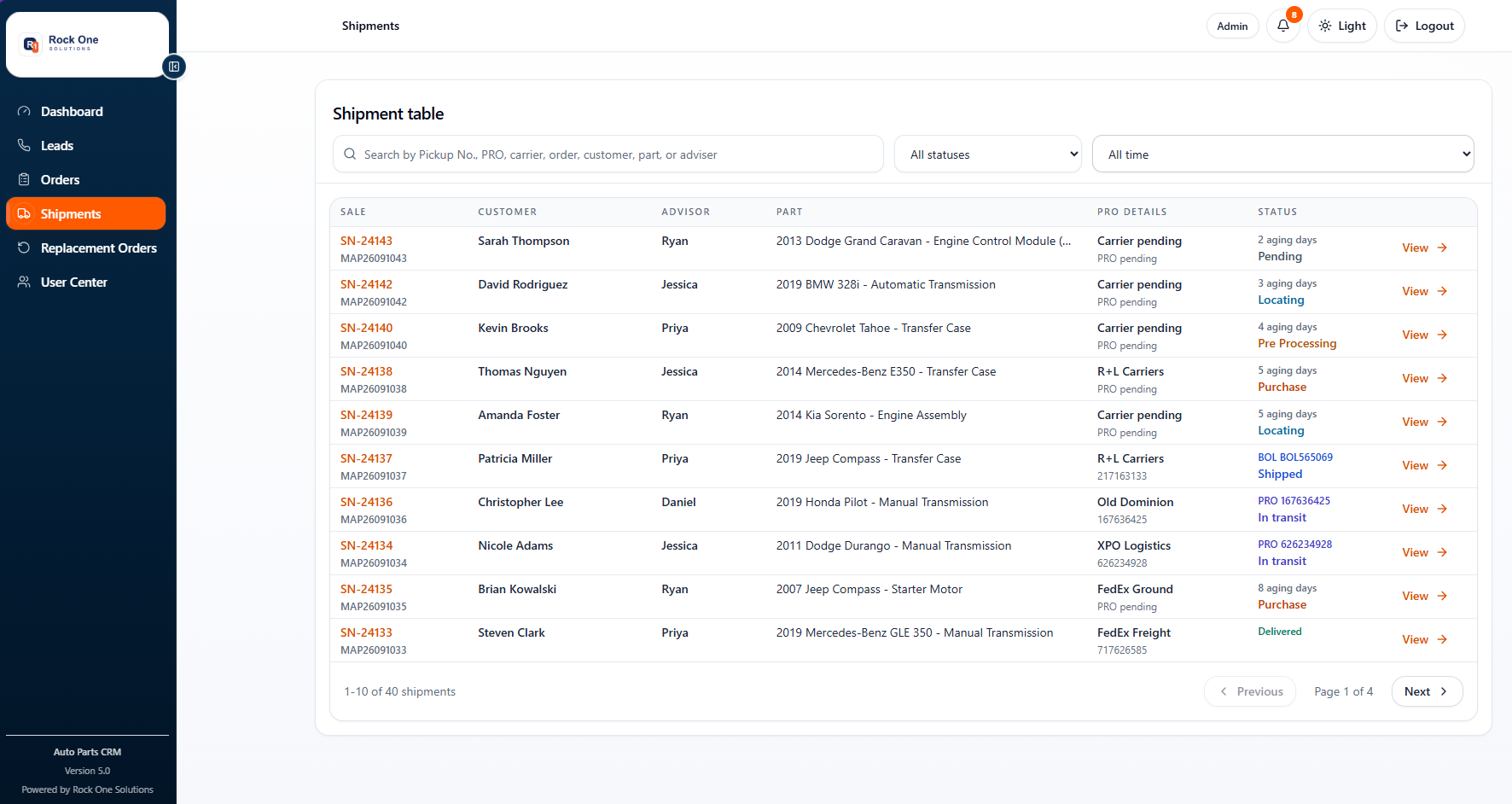
Shipment control
Pickup, PRO, carrier, ageing, and delivery status stay connected to each sale so the team can answer quickly.
Current Version 5.0 interface using representative demo records.
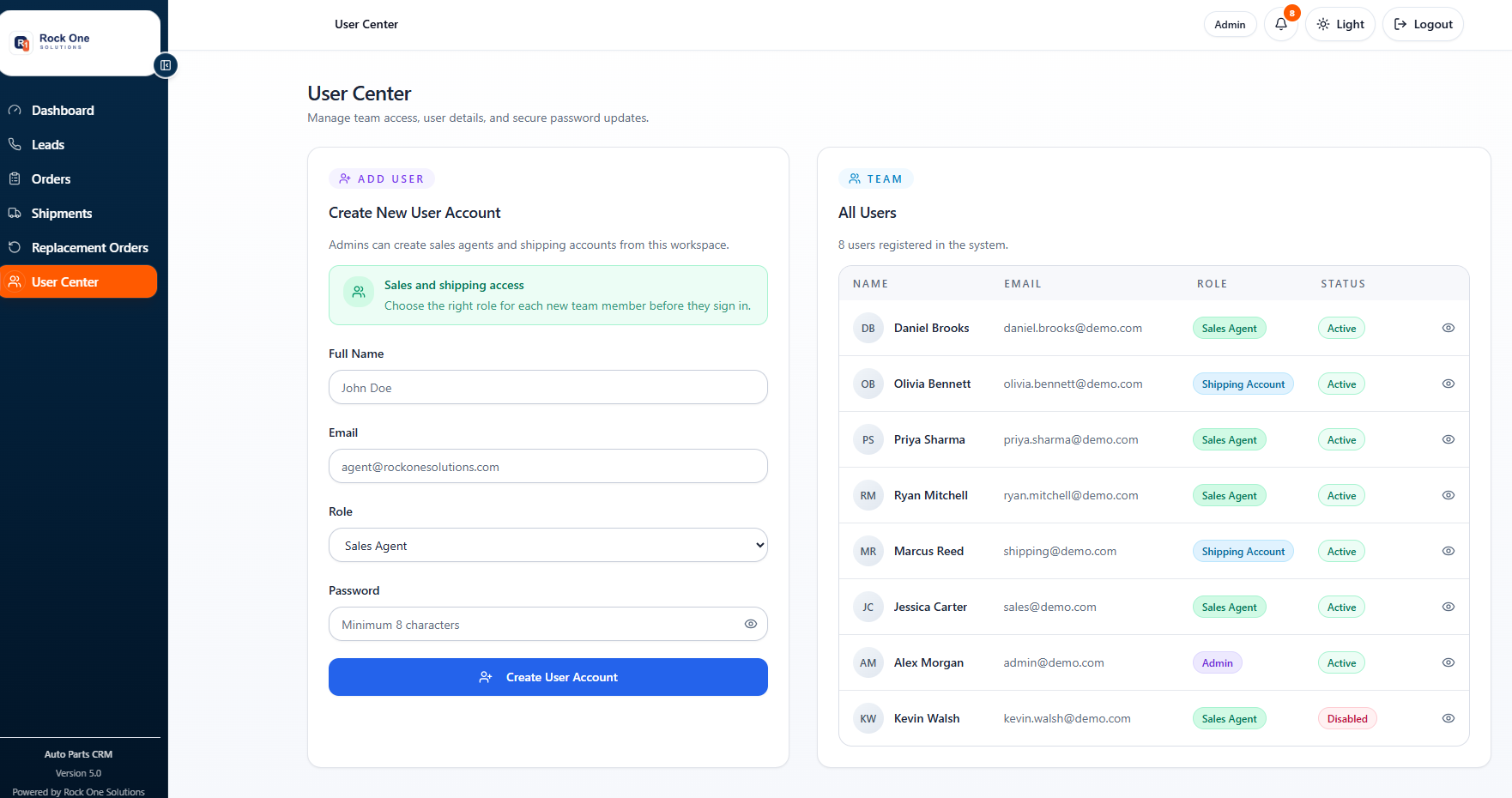
Team access
Admins can create users, assign sales or shipping roles, review status, and keep access aligned with responsibility.
Current Version 5.0 interface using representative demo records.
Replacement orders
Customer reason, yard response, original shipment, replacement transit, carrier details, notes, and status history stay together. The team can see exactly what is waiting and who owns the next action.
Request recorded
Yard contacted
Response agreed
Replacement shipped
Delivery confirmed
Role-based operation
Permissions reduce noise while preserving one source of operational truth.
System coverage